Learning Japanese may be a mammoth task, but thankfully we no longer live in prehistoric times and there is of plenty of technology to make the learning and communication a little easier.
(Terms explained in the previous post on Japanese language are written in italics).
 Web-based translators such as AltaVista's Babelfish have been around for years. I've found that Google's translator for Japanese-to-English is the most reliable, giving me the least "err-I-can't-display-this-page" errors. You can set Google's translator as a link in your browser's toolbar (Google toolbar not required), making a translated page just one click away. Sadly though, this does not work with Gmail, so I still have to copy-paste my Japanese e-mails into the translator page.
Another good translator is Eigo-Navi, which shows both the original and the translated text on screen, which can be handy at times. Sure, with all these translators the English looks like by Yoda it was written, but understand it we can, hrrrmm?
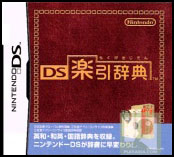 I've also been using my Nintendo DS with DS Rakuhiki Jiten. This is a relatively simple dictionary application that's very easy to use, thanks to the touch screen.
It does require one to know how to write a word phonetically using kana. If I know that, I can look up the kanji for it and read the meaning in English. I never use it for English-to-Japanese translation though, because the result is always written in kanji, and not how to pronounce that. There's also a DS Kanji Dictionary, but I have yet to check that one out.
Finally, there's LexiKAN, an excellent piece of software for learning to read and write kanji. I've only recently discovered it, and I was truly surprised at how good it is. Using a mouse or Wacom tablet (which I strongly recommend) you draw the kanji, either on a blank canvas or by tracing a light-grey image. The software immediately gives you feedback while drawing each stroke, ensuring you draw them in the correct length, order and direction. This is very effective in helping you memorise how to draw each character. If you work on paper, you just end up copying the character you drew before, not forcing you to think. LexiKAN also lets you view a little animation of each character being drawn, which can be useful for the more complicated ones or where the stroke order deviates from the standard rules.
The full version of LexiKAN (only US$29) contains writing instructions for all the 2000-odd kanji required for the highest level JLPT; a dictionary which lets you search on meaning, reading (pronounciation) or a few strokes you've drawn; a fully customizable flashcard system which lets you create your own lessons and tests, and much more. Bargain!
But most of all, it's fun! I blast through a number of flashcard lessons each day for practice, and I can clearly see my kanji knowledge improving. I'd buy this again if it ever came out on the DS (hint to developers/wishful thinking).
Never been better, thanks for asking! Could be better. Getting better! Not quite good enough. But I'm working on it, and will be for years to come. That much I know.
Before coming to London, I studied Japanese in my spare time on-and-off for about three years. I took some lessons with a few colleagues, bought a few books, listened to many hours of audio lessons and did exercises from the books.
Now, in addition to self-study, I go to class once a week (not enough, I'm going to take more classes). The lessons I'm following cost a whopping 300 Yen per four lessons. How much is 300 Yen? About £1.50, or €2.
I will try to give a very brief and simplified explanation as to what's involved in learning Japanese. Disclaimer: Remember, I'm no expert on the subject! Japanese uses three types of writing; hiragana, katakana and kanji. To be able to read a book or newspaper you need to master them all. Hiragana and katakana (together known as kana) are phonetic syllabaries, meaning each character has a unique sound. Katakana is generally used to write words which originate from other languages (mostly English), while Hiragana serves the same purpose for phonetically writing Japanese words. There are 48 basic characters in each syllabary.Kanji is also known as Chinese characters, from which they originate, and the highest level Japanese Language Profiency Test (JLPT) requires you to know nearly 2000 kanji. Each character represents a word, but combined they can also form unique words. Memorising a kanji's meaning in your own language isn't that difficult, but knowing how to pronounce it? Hoo-boy. You see, most kanji have several ways to pronounce it, depending on the context. An (extreme) example: 下, meaning under, lower, bottom, etc.(!), can be pronounced as Ka, Ge, Shita, Moto, Shimo, Sa-, Kuda- or O-. I'm sure you'll understand how relieved I am whenever I come across a kanji with only one pronounciation!Still, pronounciation of the Japanese sounds is relatively easy for myself, as the sounds used in Japanese can also be found in Dutch. Native English speakers tend to find the pronounciation more difficult at first, as they are not used to pronouncing a,i,u,e,o as "ah, ee, uuh, eh, oh". So, if all goes well, and I keep studying, I should hopefully be able to at least speak the language at a decent level within a reasonable amount of time. As with learning any other language, building an expanding your vocabulary is the key. Wish me luck.Reference from wikipedia: Kana, kanji, JLPTIn an upcoming post I will write about some cool technologies that make learning and understanding the Japanese language a little easier.

 Web-based translators such as AltaVista's Babelfish have been around for years. I've found that Google's translator for Japanese-to-English is the most reliable, giving me the least "err-I-can't-display-this-page" errors. You can set Google's translator as a link in your browser's toolbar (Google toolbar not required), making a translated page just one click away. Sadly though, this does not work with Gmail, so I still have to copy-paste my Japanese e-mails into the translator page.
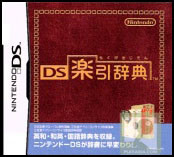 I've also been using my Nintendo DS with DS Rakuhiki Jiten. This is a relatively simple dictionary application that's very easy to use, thanks to the touch screen.
